


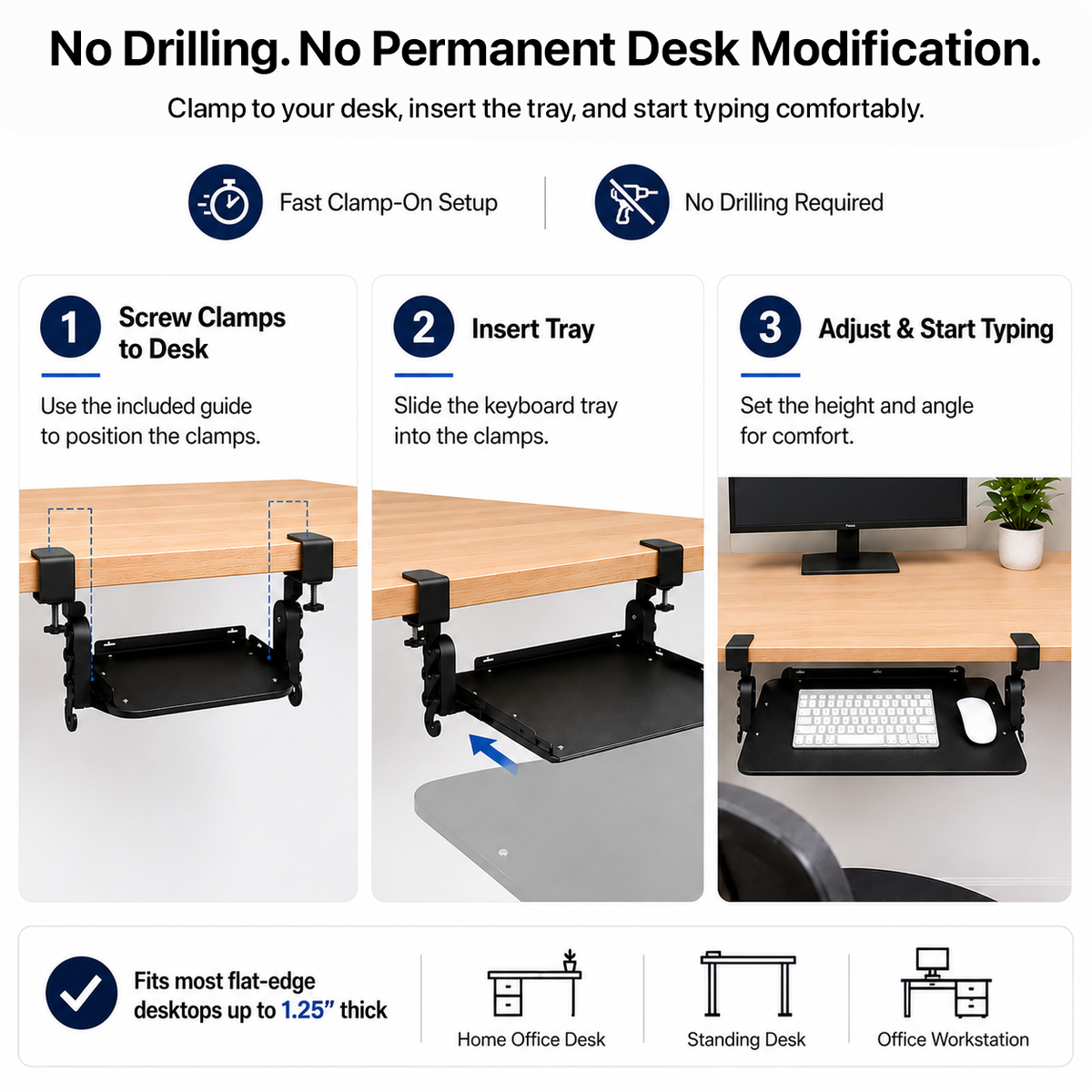



KT4 Adjustable Clamp-On Keyboard Tray
KT4 Clamp-On Keyboard Tray Get the keyboard off your desktop without drilling into it KT4 gives you the workspace and ergonomic benefits of an under-desk keyboard tray without making permanent holes in the desk. Clamp it to a compatible flat-edge desktop, lower the keyboard below...
In Stock | Free Shipping on Orders $39+ | 30-Day Returns | 1-Year Warranty
Add an under-desk keyboard surface without permanent installation
-
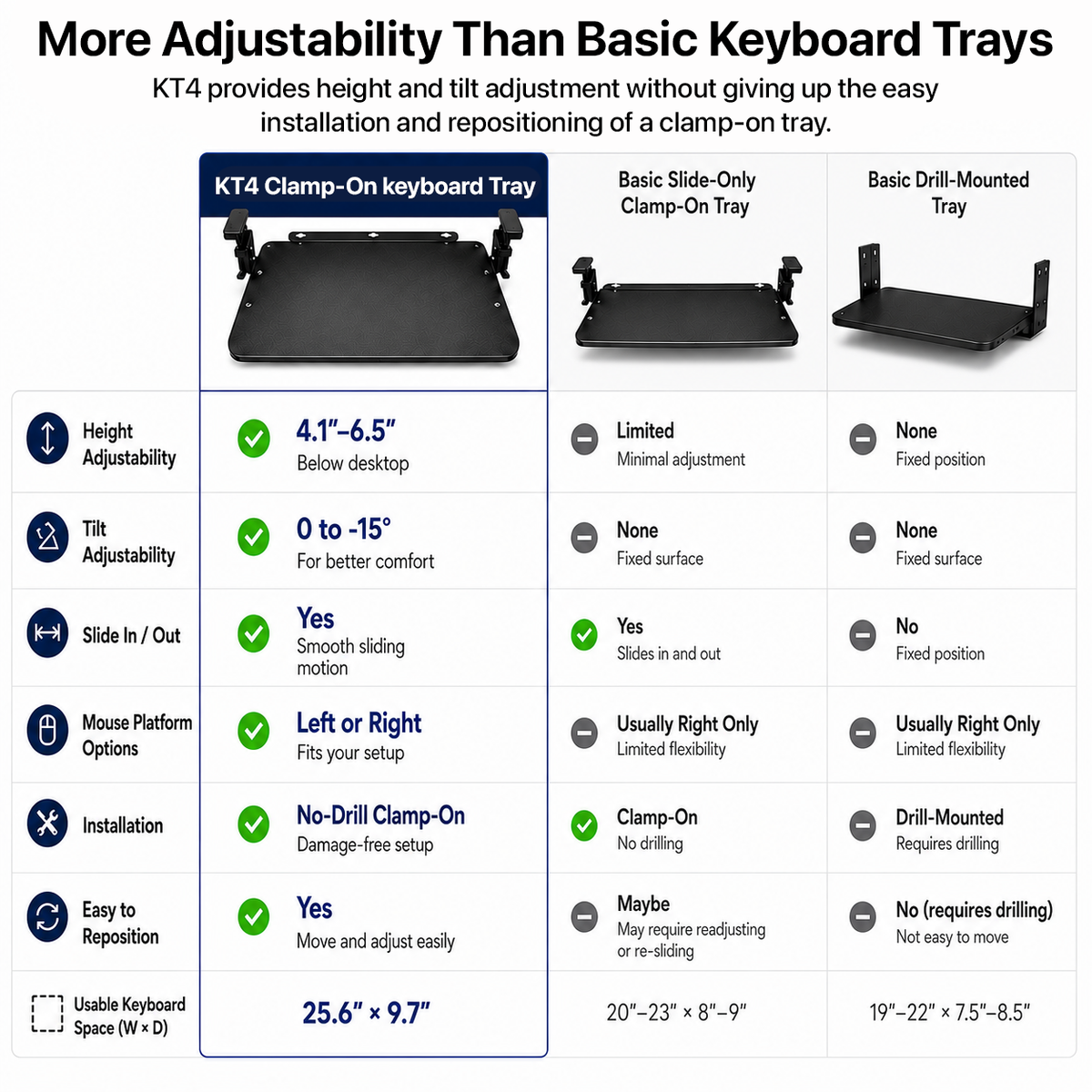
Two clamp-on mounts require no drilling
-
Adjusts approximately 4.1 to 6.5 in below the desktop
-
Tilts from 0 to 15 degrees and slides beneath the desk
-
25.6 x 9.7 in usable keyboard-and-mouse surface
-
Fits compatible flat-edge desktops up to 1.25 in thick
Shoppers who need more control over keyboard and mouse placement.
- Check overall size
- Check usable tray area
- Check maximum desktop thickness
- Check minimum underside clearance
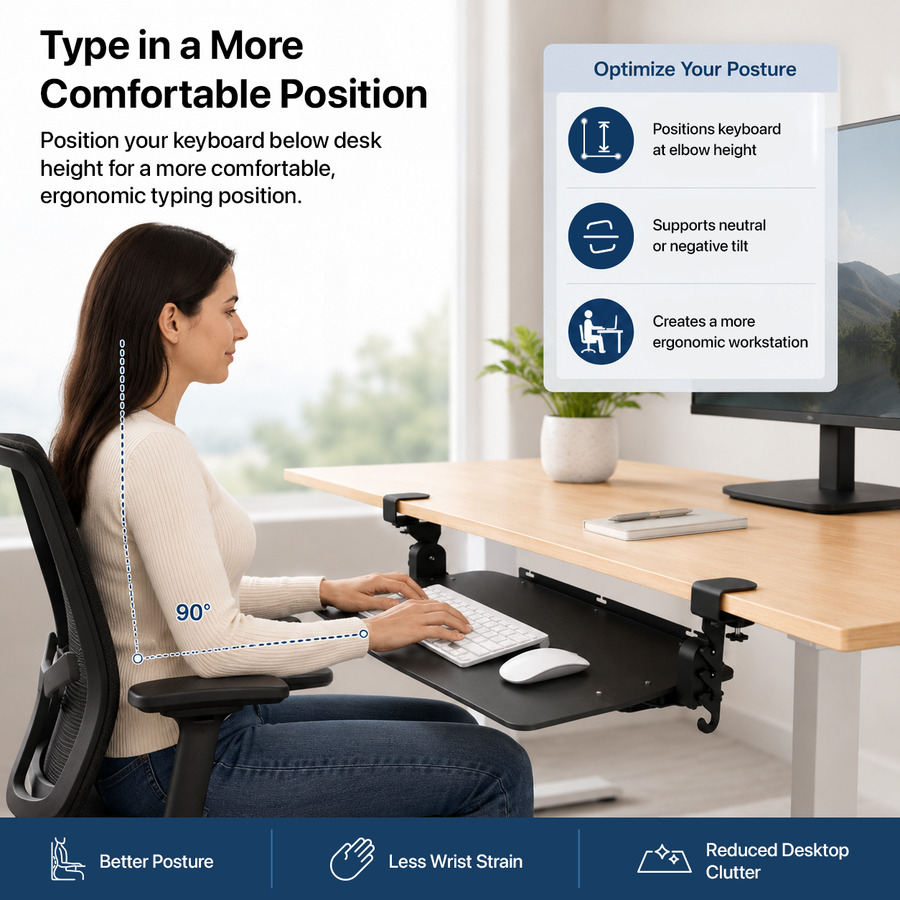
How the KT4 Clamp-On Keyboard Tray works in practice
KT4 No-Drill Clamp-On Keyboard Tray is designed for shoppers who need more control over keyboard and mouse placement. It provides add an under-desk keyboard surface without permanent installation. The product combines Two clamp-on mounts require no drilling; Adjusts approximately 4.1 to 6.5 in below the desktop; Tilts from 0 to 15 degrees and slides beneath the desk; and 25.6 x 9.7 in usable keyboard-and-mouse surface. Before ordering, compare overall size, usable tray area, maximum desktop thickness, and minimum underside clearance with the intended setup and use.
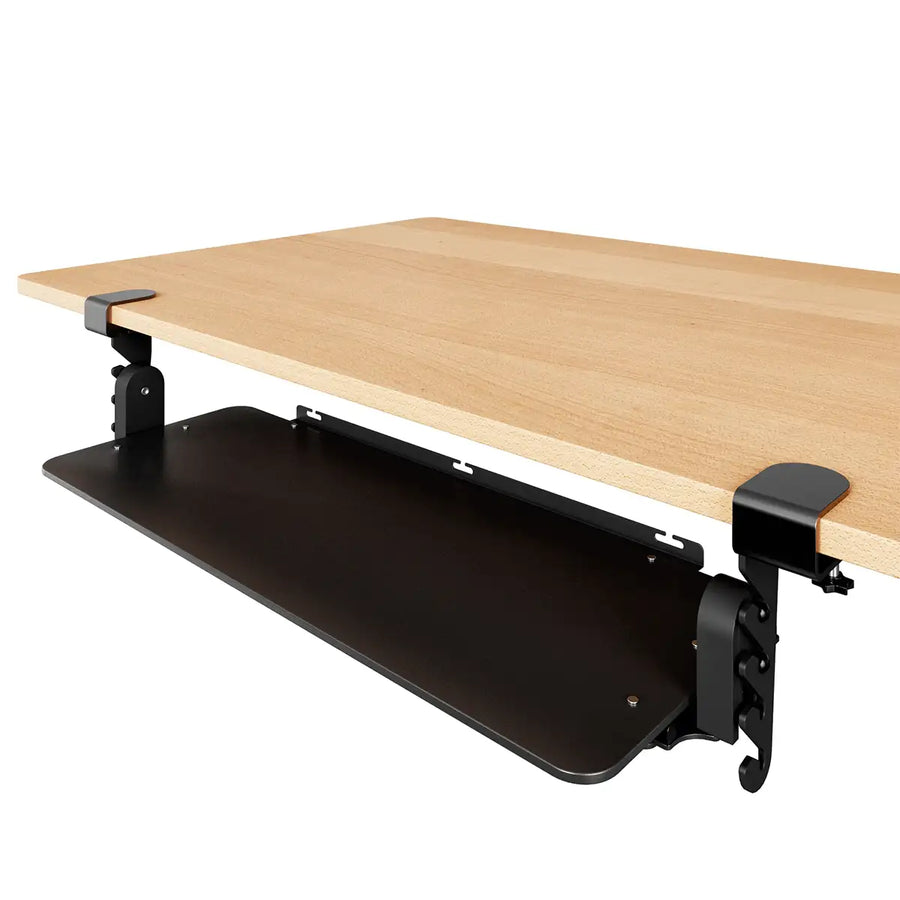


- Overall size
- 31.4 x 10.2 in
- Usable tray area
- 25.6 x 9.7 in
- Maximum desktop thickness
- 1.25 in
- Minimum underside clearance
- 3.1 in
- Height below desktop
- 4.1-6.5 in
- Tilt
- 0-15 degrees
- Maximum load
- 10 lb
- Materials
- Steel and composite panel
- Product weight
- 9.61 lb
- Package size
- 29 x 11 x 4 in
- Shipping weight
- 10 lb
- Mounting
- Two clamp-on mounts
- Warranty
- 1 year
- Color
- Black
Installation
Confirm a compatible flat front edge, desktop thickness, underside clearance, and an unobstructed slide path.
Not every desk edge, glass desktop, apron, drawer, or control panel is compatible.
Customer reviews
Frequently asked questions
What is KT4 Clamp-On Keyboard Tray best for?
What should I confirm before ordering?
Does it require assembly or installation?
What are the main specifications?
What warranty applies?
Which other products should I compare?
Compare other options
| Model | KT4 Adjustable Clamp-On Keyboard Tray THIS PAGE | KT1 Ergonomic Under Desk Keyboard Tray | KT2 Adjustable Standing Desk Keyboard Tray | WorkEZ Adjustable Keyboard Stand |
|---|---|---|---|---|
| Best for | Add an under-desk keyboard surface without permanent installation. | Full under-desk positioning control for keyboard and mouse. | Extended mounted range for seated and standing keyboard positioning. | Portable keyboard elevation from desk height to standing range. |
| Category | Keyboard Trays | Keyboard Trays | Keyboard Trays | Keyboard Trays |
| Warranty | 1 year | 1 year | 1 year | 1 year |
| Price | $59.99 | $89.99 | $129.99 | $49.99 |
| View | View product → | View product → | View product → | View product → |
Other options to consider
Compare these based on the intended setup, fit, adjustment, features, and verified specifications.