

Monitor Stands & Arms
Choose no-install height adjustment or desk-mounted movement for one or two screens.
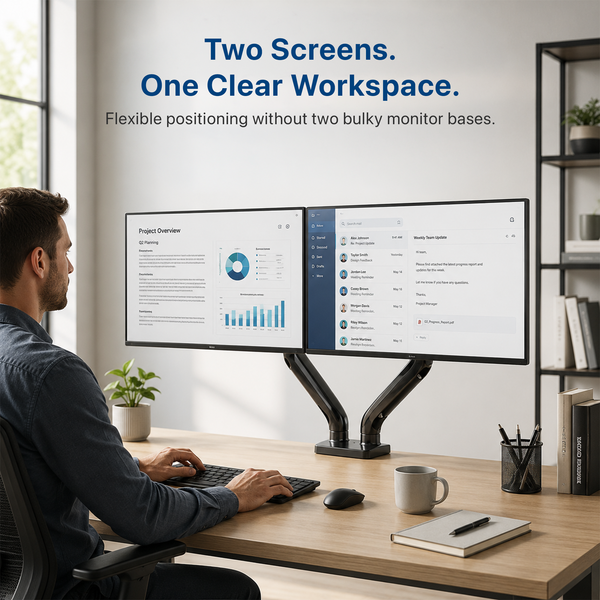
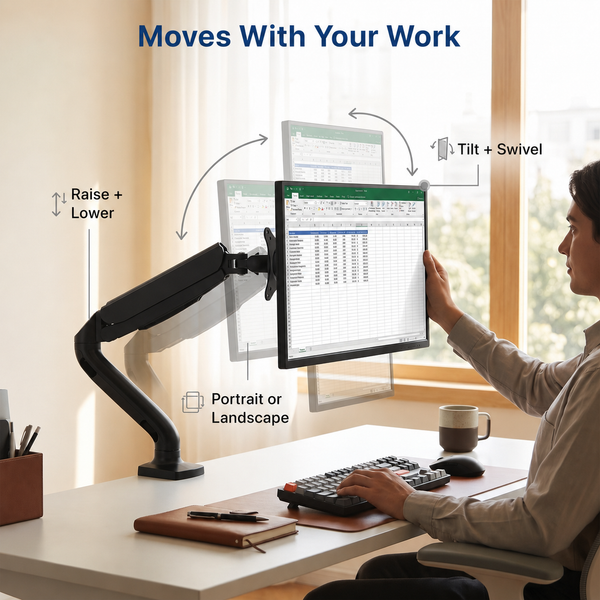
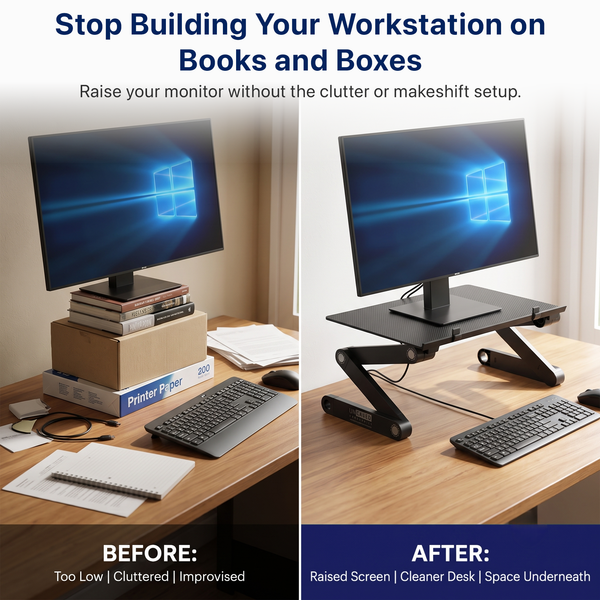
Raise or reposition one or two screens with a freestanding monitor riser, single monitor arm, or dual monitor arm. WorkEZ sits on the desk and adjusts without VESA hardware. The mounted arms use clamp or grommet installation and provide broader screen movement. The Single Monitor Arm is available with no USB ports or two USB-A ports while both variants remain active. Compare screen count, size, weight, VESA pattern, and desk fit before purchase.


Compare models
Compare Monitor Stands and Arms
Start with installation style and screen count, then verify monitor size, weight, VESA pattern, and desk compatibility.
| Attribute | WorkEZ Monitor Stand | Single Monitor Arm | Dual Monitor Arm |
|---|---|---|---|
| Best for | No-install height adjustment | One mounted screen | Two mounted screens |
| Product type | Freestanding adjustable riser | Gas-spring desk mount | Dual desk mount |
| Screens | One compatible device | One monitor | Two monitors |
| Size / fit | Device base must fit 16.5 × 11 in platform | Up to 27 in | Up to 27 in per arm |
| Capacity | Up to 12 lb | 4.4 - 19.8 lb | 4.4 - 19.8 lb per arm |
| VESA | Not required | 75 x 75 or 100 x 100 mm | 75 x 75 or 100 x 100 mm per monitor |
| Installation | Place on desk | Clamp or grommet | Clamp or grommet |
| USB | None | No USB ports | None |
| Warranty | 1 year | 1 year | 1 year |
| Price | $39.99 | $49.99 | $79.99 |
| View WorkEZ Monitor Stand → | View Single Monitor Arm → | View Dual Monitor Arm → |
Help me choose
Find the Right Monitor Setup
Start with how the product attaches to the desk, then confirm screen count and compatibility.
03
You use one monitor and want broad movement without USB ports.
Choose Single Monitor Arm – No USB Ports
Buying guide
What to consider before you buy
Key fit factors for monitor risers and desk-mounted arms.
Choose freestanding or desk-mounted
WorkEZ rests on the work surface. The arms attach by clamp or grommet and replace the original monitor base.
Start with the number of screens
Choose the Single Monitor Arm for one compatible monitor and the Dual Monitor Arm for two. WorkEZ is primarily a one-device riser.
Check size, weight, and VESA pattern
Each arm supports monitors up to 27 in and 4.4 – 19.8 lb per arm with 75 × 75 or 100 × 100 mm VESA patterns. WorkEZ requires platform and load fit instead.
Review the desk connection
Confirm desktop construction, edge shape, underside clearance, clamp or grommet access, and surrounding obstructions before selecting a mounted arm.
Plan cable slack and movement clearance
Allow enough cable length for the full arm movement and any standing-desk height change. Check nearby walls, shelves, and accessories so the screen and arm can move without contact.
FAQs
Frequently asked questions
A stand or riser rests on the desk and raises the device without mounting. A monitor arm attaches to the desk and provides broader movement while removing the original monitor base.
Yes. The Single and Dual Monitor Arms use 75 × 75 mm or 100 × 100 mm VESA patterns. WorkEZ does not require VESA hardware.
The approved category specification is up to 27 in and 4.4 – 19.8 lb per arm.
The Single Monitor Arm is currently available with no USB ports.
Yes, when the product and desk are compatible. A mounted arm moves with the desk; WorkEZ sits on the desktop. Verify every fit requirement before purchase.
All three products include a 1-year limited warranty.