Patented under-desk control
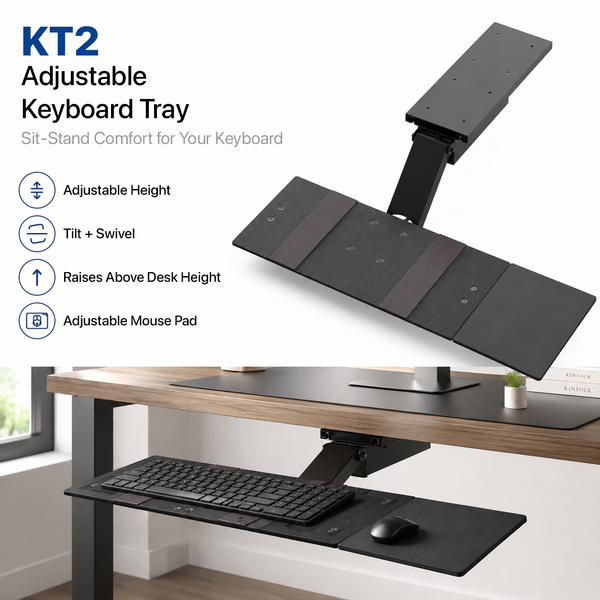
KT2 Standing Desk Keyboard Tray
Moves about 10 in below to 8 in above.
$129.99
View Product →
Choose the mounting style that fits your desk and how you type.
Compare screw-mounted under-desk trays, a removable clamp-on option, and freestanding keyboard stands for seated and standing workspaces. Start with how the product mounts, then compare height range, tilt, mouse placement, storage, and platform size to find the right setup for your desk.
Moves about 10 in below to 8 in above.

Adjust height, tilt, slide, swivel, and mouse position.

Adds an under-desk platform without permanent installation.

Freestanding keyboard and mouse riser for seated or standing work.

Portable desktop stand with repeatable heights and continuous tilt.

Mouse pads, screws, rails, and KT Bridge components.
Compare mounting style, working range, tilt, mouse placement, storage, and intended use.
| Attribute | KT2 | KT1 | KT4 | WorkEZ | KT3 |
|---|---|---|---|---|---|
| Best For | Sit-stand desks | Traditional under-desk setups | No-drill installs | Tallest portable desktop range | Repeatable desktop height settings |
| Mount Type | Screw-mounted under-desk | Screw-mounted under-desk | Clamp-on | Freestanding | Freestanding desktop stand |
| Height Range | About 10 in below to 8 in above desktop | About 3.75 in below to near desktop height | About 4.1 to 6.5 in below desktop | Up to 18 in above the supporting surface | 2.5 to 12.5 in - seven settings |
| Tilt | Yes | Yes | Yes | Yes | Yes |
| Mouse Setup | Separate platform - left or right | Separate platform - left or right | Shared surface - left or right placement | Removable platform - left or right | Separate platform - change sides by rotating the stand |
| PRICE | $129.99 | $89.99 | $59.99 | $49.99 | $59.99 |
| View KT2 → | View KT1 → | View KT4 → | View WorkEZ → | View KT3 → |
Start with how you work — we'll point you to the best match.
Key fit factors for ergonomic keyboard trays and stands.
Decide between screw-mounted under-desk trays, a clamp-on tray, or freestanding desktop stands based on how permanent you want the setup.
Confirm your desk can accept mounting hardware or a clamp, and that there is enough underside clearance for the tray to move through its range.
Match the tray's height range to how you work — seated only, sit-stand, or raised desktop typing — so your wrists stay near elbow height.
Check platform size and whether the mouse sits on a separate, shared, or removable surface so both devices fit comfortably.
Under-desk models that slide in and out help free knee space and clear the desk when the tray is not in use.
Plan for screw mounting, clamp install, or no install at all. Freestanding stands set up immediately; under-desk trays need a short install.
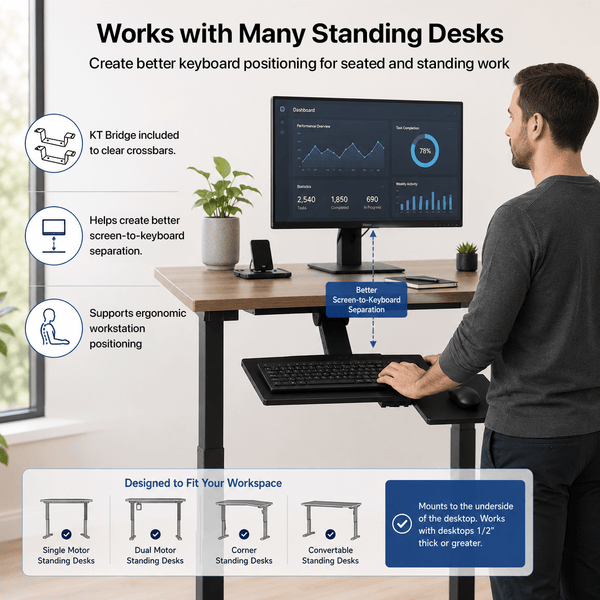
KT2 is the best fit for standing desks. Its extended arm moves from about 10 in below to 8 in above the desktop, so you can keep a neutral typing height when sitting or standing.
KT4 is the no-drill option. It clamps onto the desk to add an under-desk platform without permanent installation. WorkEZ and KT3 are freestanding and also require no drilling.
Both are patented screw-mounted under-desk trays with height, tilt, slide, swivel, and a separate left-or-right mouse platform. KT1 adjusts from about 3.75 in below to near desktop height for traditional seated setups. KT2 uses a longer arm for sit-stand range — about 10 in below to 8 in above the desktop.
Yes. KT1 and KT2 use a separate mouse platform that mounts on the left or right. KT4 places the mouse on a shared surface on either side. WorkEZ includes a removable left-or-right platform. On KT3, you change sides by rotating the stand.
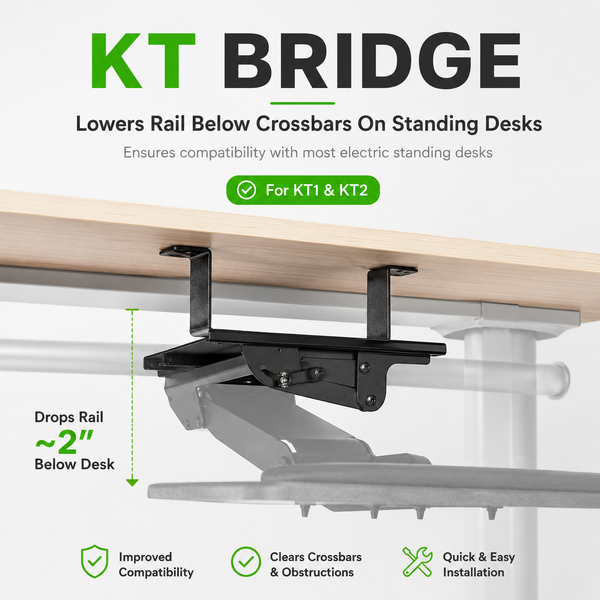
No. The KT Bridge is sold separately as a replacement part for mounting around standing-desk crossbars. You can add it from the KT1 & KT2 Replacement Parts page if your desk needs it.
Shop mouse pads, screws, rails, and KT Bridge components on the KT1 & KT2 Replacement Parts page.